Passing a Student

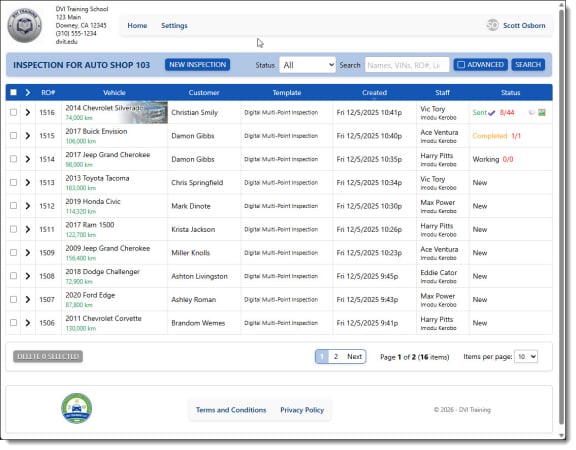
Class Home Screen

Each class has it's own listing of inspections created by each student. The screen shows who's working on the car and the status of the inspections. Search for any vehicle or look at a list by Student

Checklist Overview in a Digital Vehicle Inspection

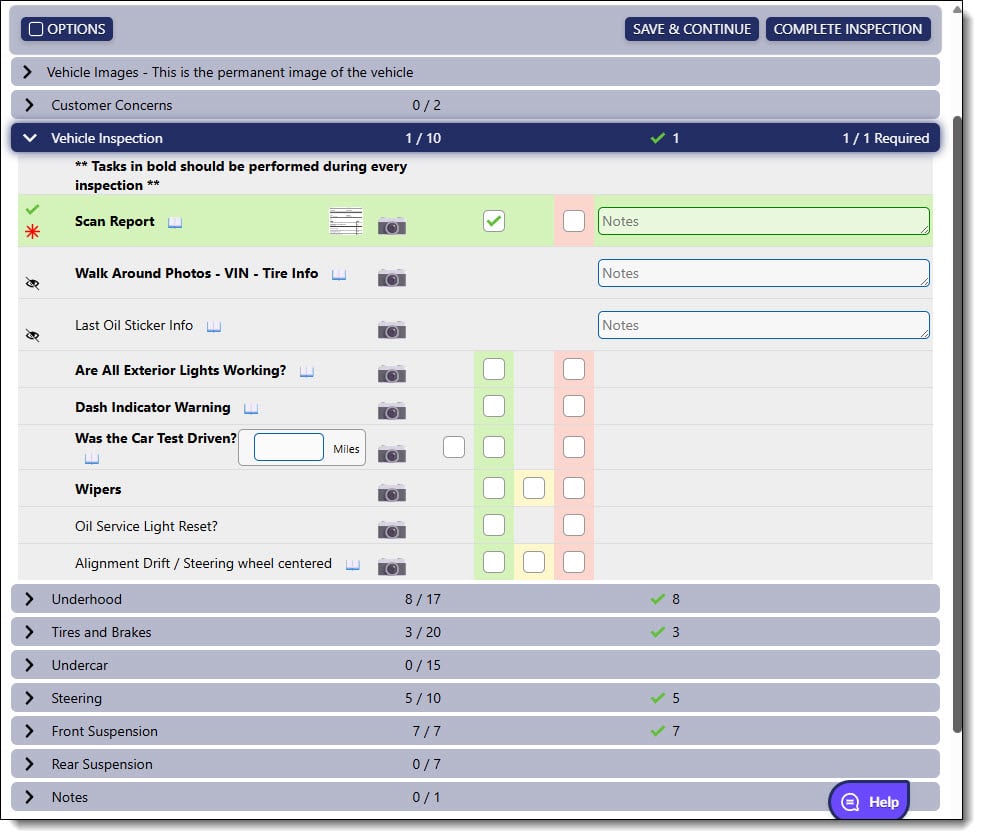
Checklist Overview

The checklist divides the vehicle up into categories that can be used at any point in the semester to help teach different sections of the car. Each category opens up to  a series of tasks, asking the Student for the condition of each item

Class Sign Up

Easy Signup for Students

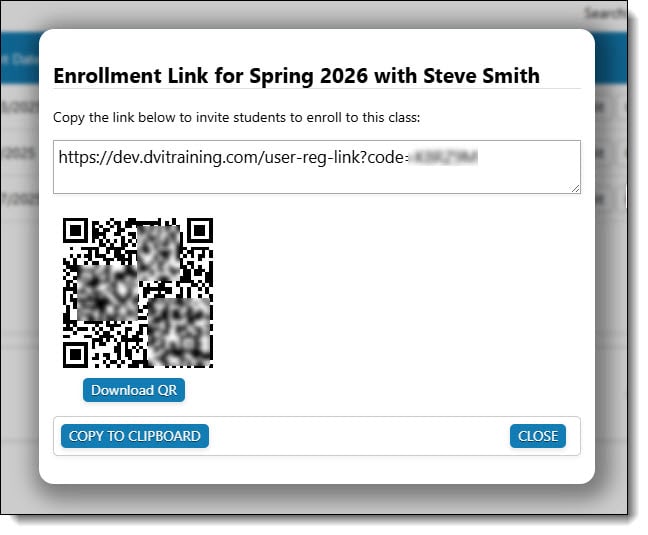
Getting your Students to sign up for an account is simple. Each class has a QR code or URL that you can send them to to sign themselves up. They receive and email validating their address and having them assign a password
Class List by Instructor

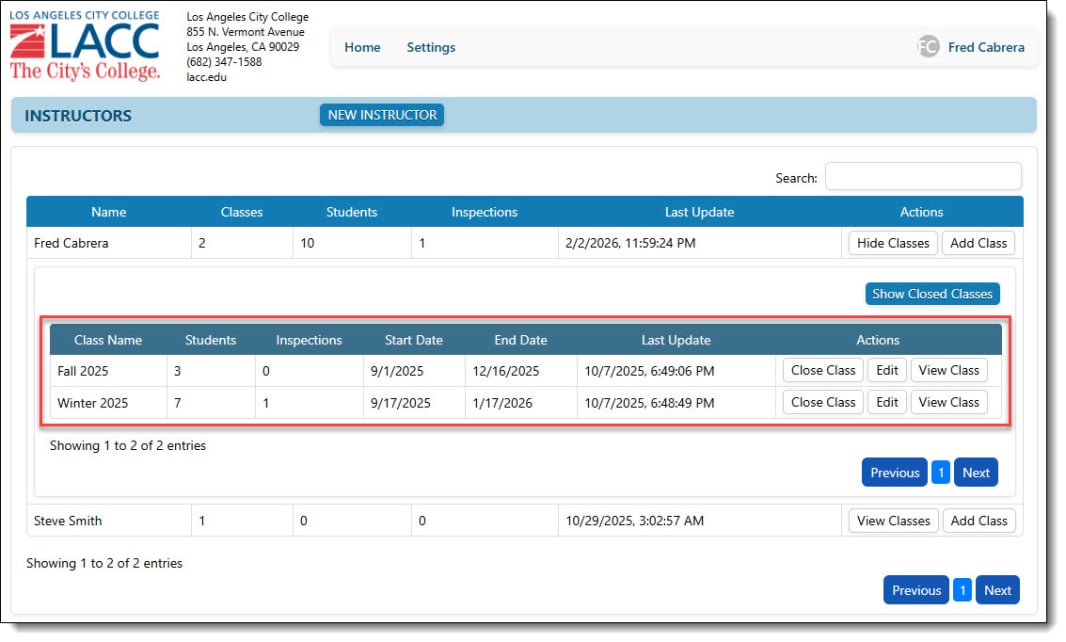
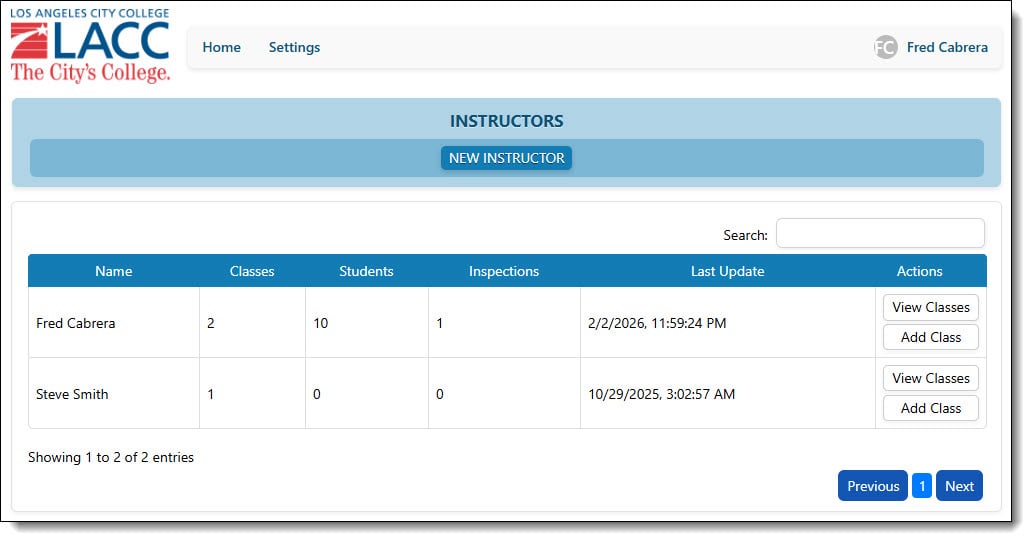
Multiple Classes

Each Instructor can have multiple classes and has full control over dates and students, and can easily see how many inspections were completed. When a class is complete, the Instructor can close the class out and issue the Students certificates of Completion

Passing a Student

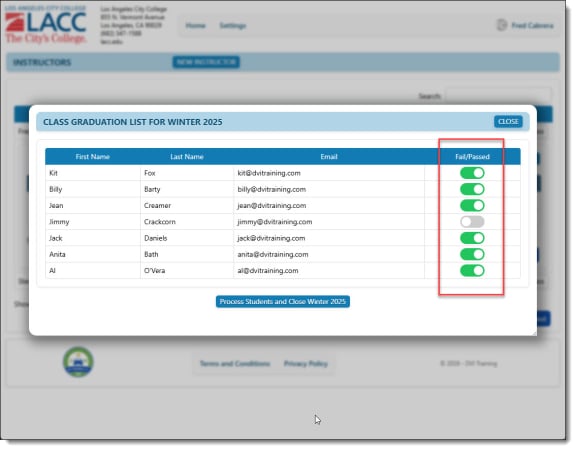
Pass/Fail Grading

When the class is complete, simply choose whether a Student passed or failed. We handle sending the students a Certificate of Completion to their email address. No printing, No hassle!

Customer Report of Digital Vehicle Inspection

Customer Reports

Each inspection allows you to text the full report, just as if you were the shops customer, directly to the Student or Instructor to see how your inspection looks to the customer

Admin Home Screen

Admin Access

School Admins have full access to all Instructors and Classes.

Drop Down Choices in a Digital Vehicle Inspection

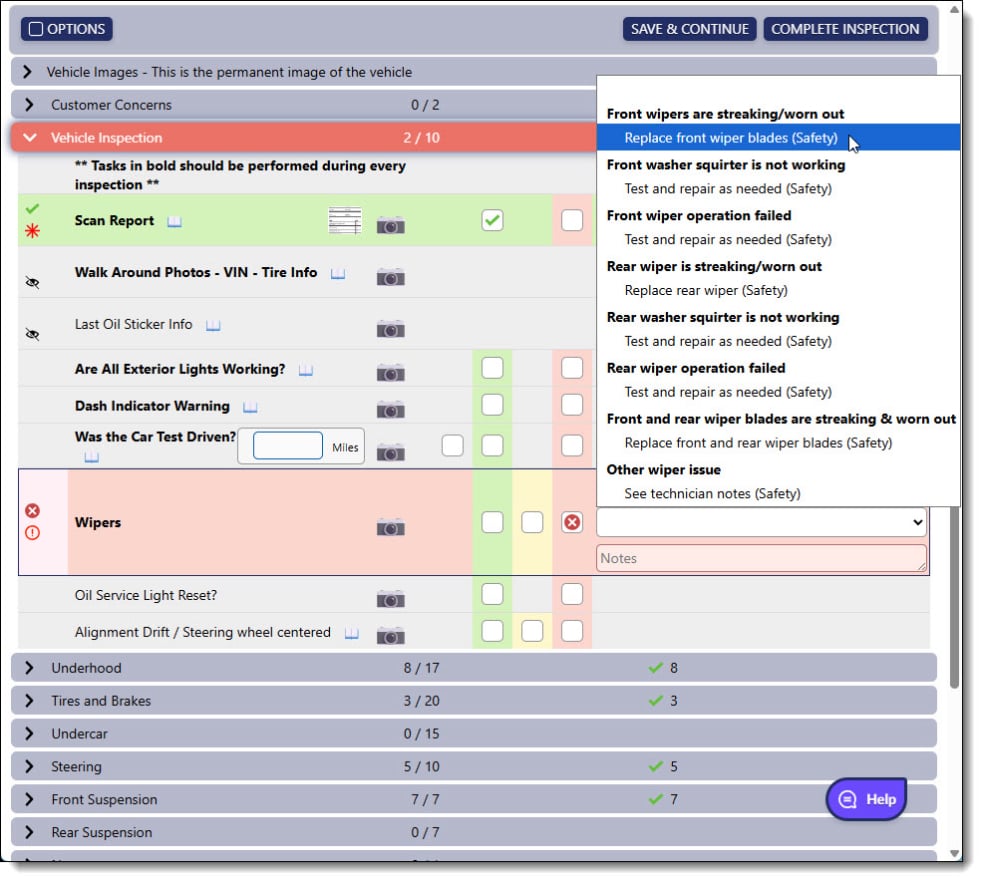
Dropdown Choices

Tasks have drop down menus when an item is checked off with a recommendation. Each option shows what was found during the inspection and offers a list of recommendations to bring the car back into OE condition

DVI Training Features - Tools & Curriculum
Everything your program needs to teach modern digital inspections:

Hands-on digital inspection lab for students

Students work through real-world vehicle inspection scenarios so they can confidently document issues and recommend repairs

Photo and Video Capture

Students learn to document vehicle health with visual evidence

Prebuilt Standardized Inspection Templates

Mirroring industry-standard templates (e.g., sections for underhood, tires and brakes, steering, etc.)

Web-Based (device agnostic) Workflow

Train students on the digital tools and tablet workflows that shops use for customer communication and estimate delivery

Ready-Built Modular Course

Designed to integrate into your school’s introductory level class, or full automotive technology curriculum; can also be a standalone course, typically delivered in 8-10 hours of classroom instruction

Professional Reporting

Generate “customer-ready” reports to teach students how to communicate value to a vehicle owner

Instructor Dashboard

Manage multiple classes and view student progress in real-time

Digital Vehicle Inspection Certification

Every graduate receives a certificate of completion that demonstrates verified competency to employers

Allied Member

NACAT is the North American Council of Automotive Teachers. They're a professional organization dedicated to supporting and advancing high school and college automotive educators across North America.

Whether you're an experienced teacher or just starting out, NACAT is here to help you stay at the forefront of automotive technology and education.

Offering Community, Discounts, Programs, Resources, and more.

NACAT Member